GhostBuster
Remove Hidden AI Fingerprints from Your WordPress Content
AI-generated text contains invisible Unicode markers that algorithms can detect-even when the text looks completely normal. GhostBuster removes these fingerprints automatically.
Try It - Paste AI-Generated Text Below
See what hidden characters are lurking in your content:
Enter text to preview what GhostBuster would sanitize.
The Hidden Problem with AI Content
When you use ChatGPT, Claude, or other AI tools to write or edit content, the output often contains invisible fingerprints-special Unicode characters that look identical to normal text but can be detected by algorithms.
These two lines look exactly the same:
- I'm writing content. (Normal text)
− І'm writing content. (AI-tainted text)
The second line contains: a minus sign instead of hyphen, Cyrillic "I" instead of Latin "I", a thin space, and a curly apostrophe. You can't see the difference, but detection algorithms can.
Why This Matters for SEO
AI Detection
Search engines and content platforms increasingly use algorithms to detect AI-generated content. These invisible markers make detection easier.
Search Matching
When users search for "I'm" with a normal apostrophe, your content with a curly apostrophe might not match-hurting your visibility.
Content Signals
Mixed typography (sometimes curly quotes, sometimes straight) creates inconsistent signals that may affect how algorithms evaluate your content.
Future-Proofing
As AI detection improves, having clean, consistent text protects your content from being flagged or penalized.
How GhostBuster Works
Automatic Detection
Scans your content when you save any post, page, or custom post type.
Intelligent Replacement
Converts look-alike characters (homoglyphs) to their standard ASCII equivalents.
Clean Output
Your content is saved with standard characters-no invisible fingerprints.
Features
Any Editor
Gutenberg, Elementor, Classic Editor
All Post Types
Posts, Pages, WooCommerce, Custom
25+ Languages
Turkish, French, German, Arabic...
Change Logging
Track what was sanitized
Emoji Support
Optionally allow emojis through
Zero Config
Works automatically on save
Screenshots
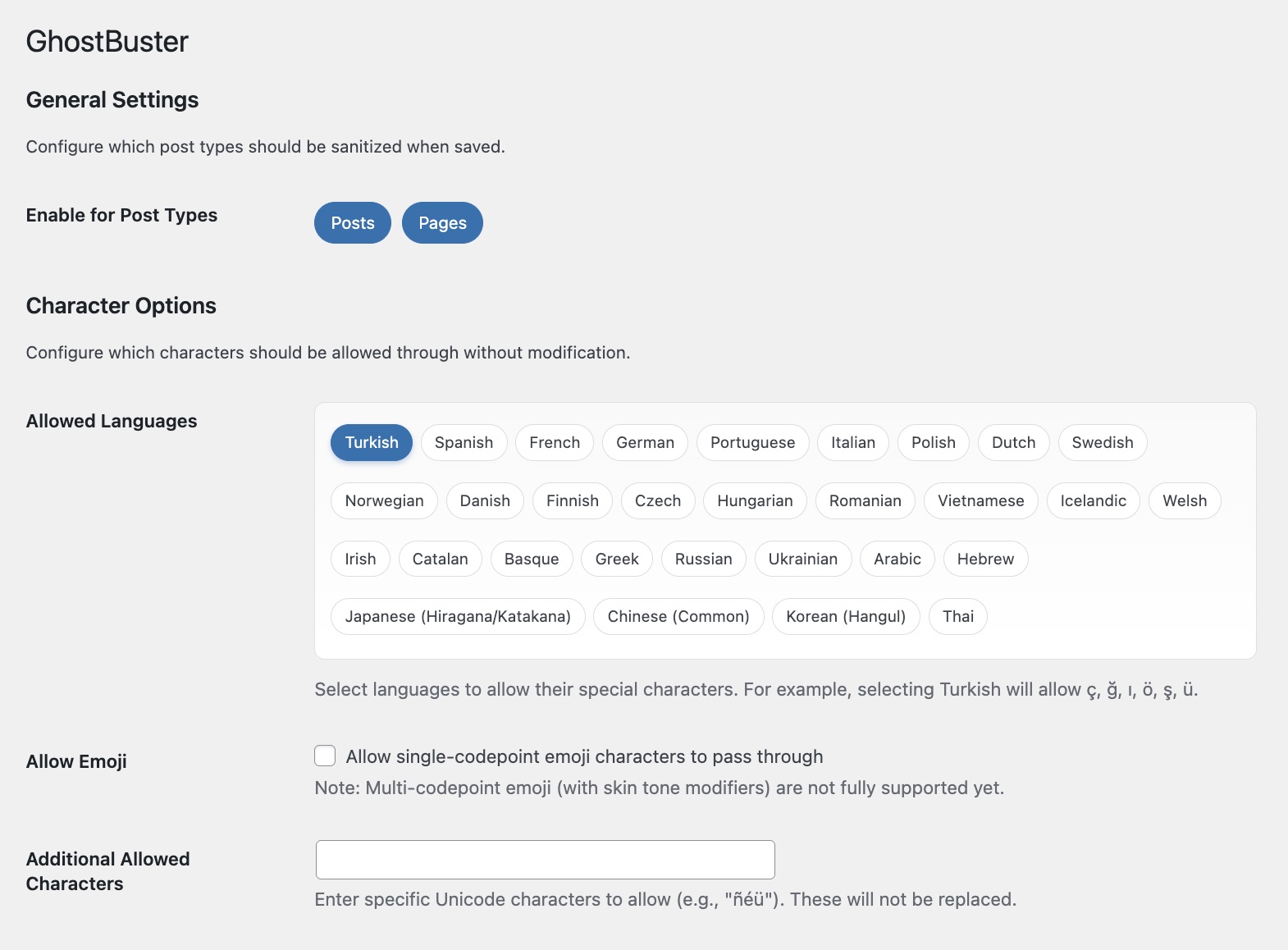
Settings Page - Post Types & Language Selection
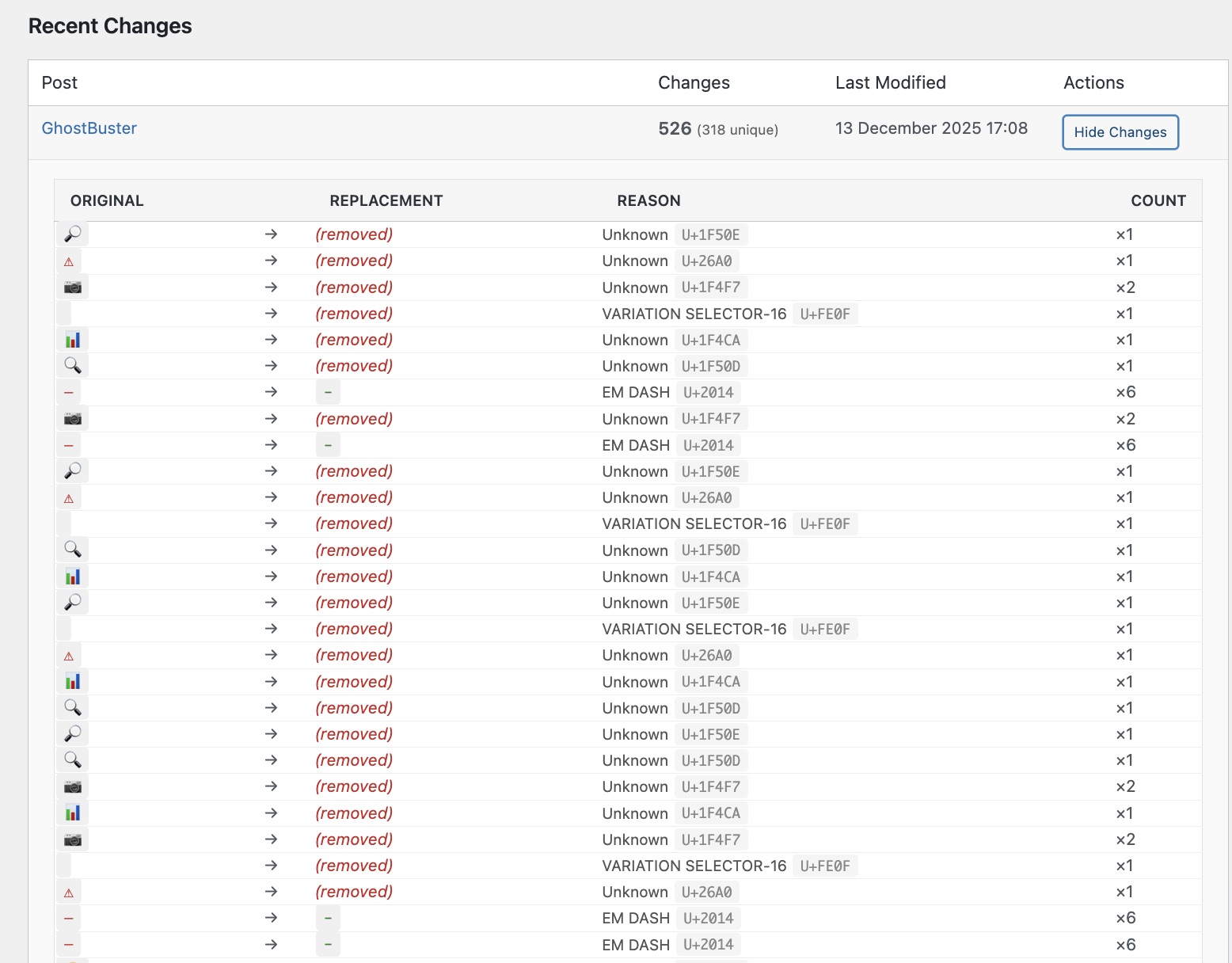
Change Log - Showing Detected Characters
Quick Setup
- 1 Upload to /wp-content/plugins/
- 2 Activate in WordPress
- 3 Configure languages (if needed)
That's it-GhostBuster works automatically when you save content.
Inspired by Sanitext by Panayiotis Panayiotou
Download GhostBuster
Free WordPress plugin. Clean your AI-generated content.
Questions? Contact me